UMS-SF.FaMang is UMS Smart Farming – Farm Management Application. This is a web-app architecture where it involved with Smart Phone Application and a ready Cloud Server.
Figure 1 shows the overall architecture of the developed application. It require a cloud server hosted either locally or globally. It is initialised without a secure connection for development purpose. The process of the app will begin from the APP. User will perform actions from module to trigger the function from Web Server. It is then process a query to retrieve data from database. Successful query will return data and pass to a temporary storage. A parsing process will determine what type of data is required to feed from temporary storage in unformatted to a formatted value or text to Feed-Storage.
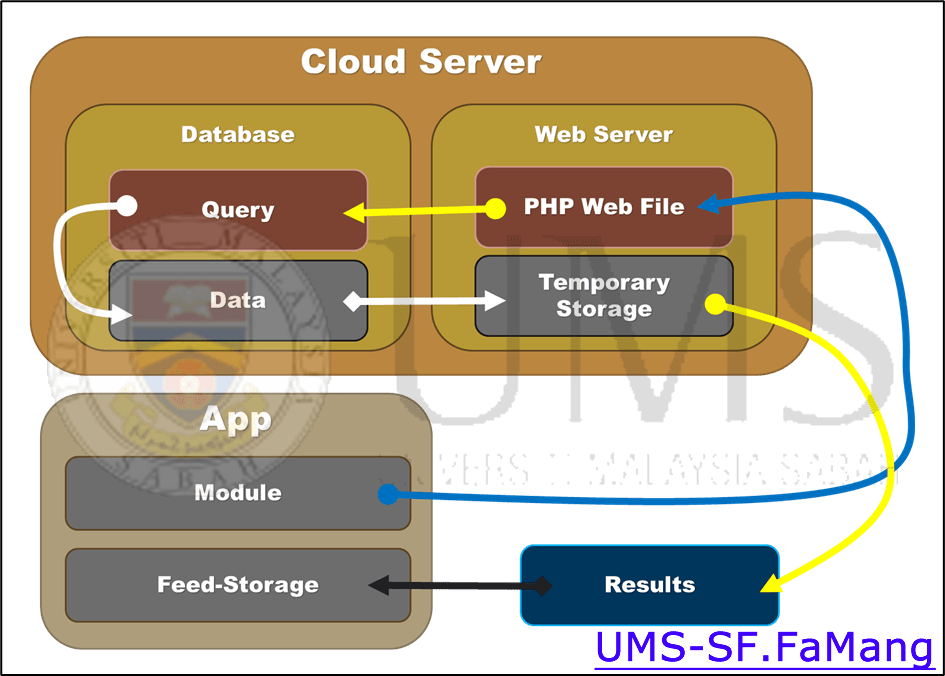
Figure 1: App Architecture (Overview)
Figure 2 shows the database design for the developed application. It consist of 4 main tables which consist of Farm Control, Farm API, Farm Node.Chain and Farm Node. Each of this table are designed for different module and functions. Dotted lines show the foreign key or primary key connection from 1 table to the others. Green dot icon shows a security encryption deployed for the specific key in a table of a database.
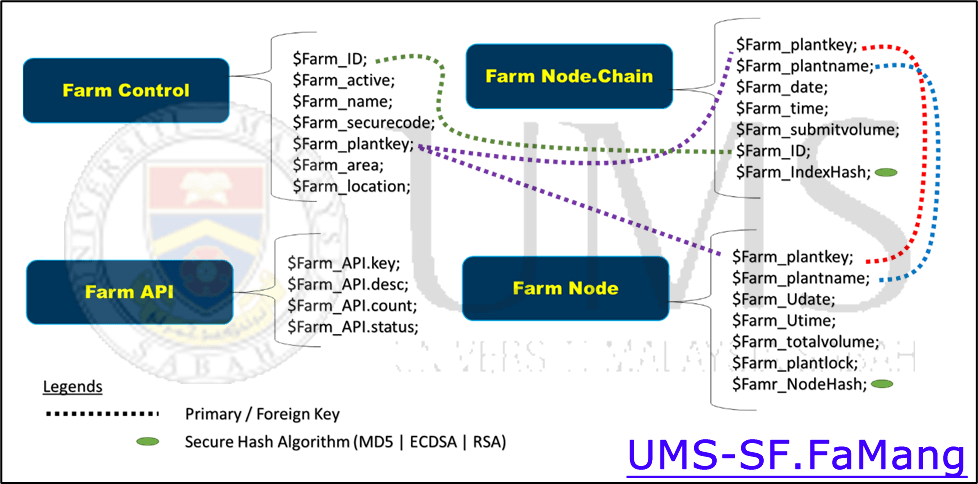
Figure 2: App Database Architecture (Overview)
Figure 3 shows a retrieval scheme for data. To parse dashboard information, the Farm node and Farm Control had to be left joined. Where Farm Control is the main table that cross reference with all Farm Node data. Important information is selectively retrieve with previous PHP scripts from the cloud and push to temporary processing array. The expected output of the data will be formatted in universal text format such as .csv or .json file.
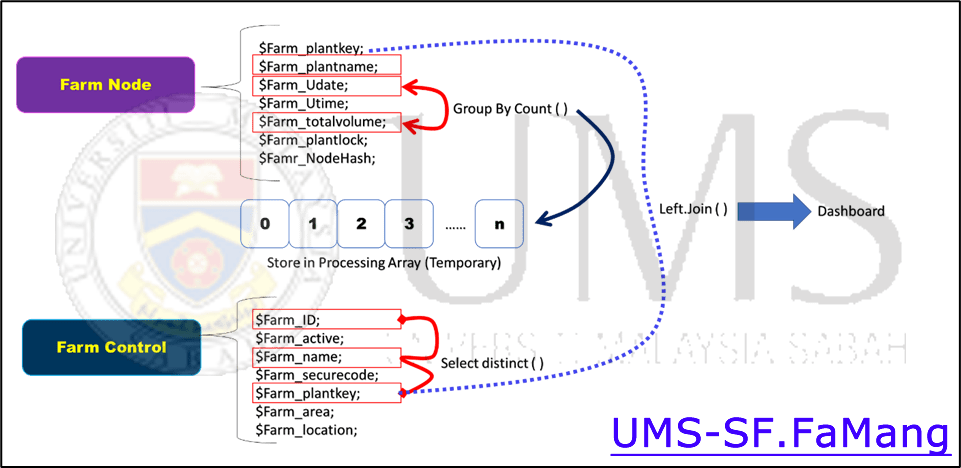
Figure 3: The Dashboard Retrieve Scheme
Figure 4 is an API call procedure where it main purpose is to allow 3rd party application or user to trigger a call in order to proceed to advance or pre-computed data retrieving. The API is controlled by count and valid status. If the proposed key is valid and an API call should be ready to execute successfully.

Figure 4: API Call Procedure
The purpose of this update is to log the development process and identify the best path and idea for the development and deployment process goes smoothly.
Updated By:

 Elia Godoong